
Your coaching app.
The complete guide.
Everything you can do in the app, screen by screen — your plan, your food, your progress, your sessions with me. Ten minutes with this and you'll know it inside out.

What's in this guide
- Getting in
- Get it on your phone
- Finding your way around
- Home — your day at a glance
- Train — your plan for the week
- Logging a workout
- Every exercise, shown properly
- Nutrition — food made simple
- Weigh-ins & your weekly check-in
- Habits — the quiet work
- Supplements
- Sleep
- Apple Health — logs itself
- Apple Watch
- Progress — proof it's working
- Streaks & badges
- The PG League
- How the scoring works
- PG Coins & your level
- Your page on the website
- Your sessions with me
- Messaging me
- Settings, passwords & light mode
- Tips worth knowing
Prefer it as a file? Download this guide as a PDF.
Getting in
Your welcome email has your login — the email address I have for you, and a password. That's all you need.
- Open app.pg-fitness.co.uk in your phone's browser.
- Type your email and password from the welcome email.
- Tap Sign in. That's it — you land on your Home screen.
Forgotten it? Tap Forgot your password? under the sign-in button and a reset link comes to your email. Want a different password? Tap your initials in the top-right, then Change password. More in Settings.

1One tap and you're in. Your browser will offer to save the password — let it.
Get it on your phone
On iPhone, the app is in the App Store now. On Android it installs from the browser in twenty seconds. Same app, same login either way.
iPhone — download it from the App Store
- Open the App Store and search Pete Gawtry Fitness — or tap here to go straight to it.
- Download it (it's free for coaching clients), open it, and sign in with your usual login.
- Been using the home-screen web version? The App Store app takes over — same account, nothing lost. Delete the old icon or keep it, up to you.
Android (Chrome)
- Open app.pg-fitness.co.uk in Chrome.
- Tap the three dots (top right).
- Tap Add to Home screen (or Install app), then confirm.
Finding your way around
Five tabs along the bottom. That's the whole app — you can't get lost.
- Home — your day at a glance: today's workout, your habits, your sessions, your numbers.
- Train — your training week, set out by me, day by day.
- Nutrition — your targets, your food diary, your meal plan.
- Progress — weight trend, photos, records, badges. The proof.
- Log — the quick check-in: weight, measurements, photos. In and out in thirty seconds.
Top-right on every screen: the trophy (that's the PG League), the light/dark switch, and your profile (your initials or photo — that's Settings).
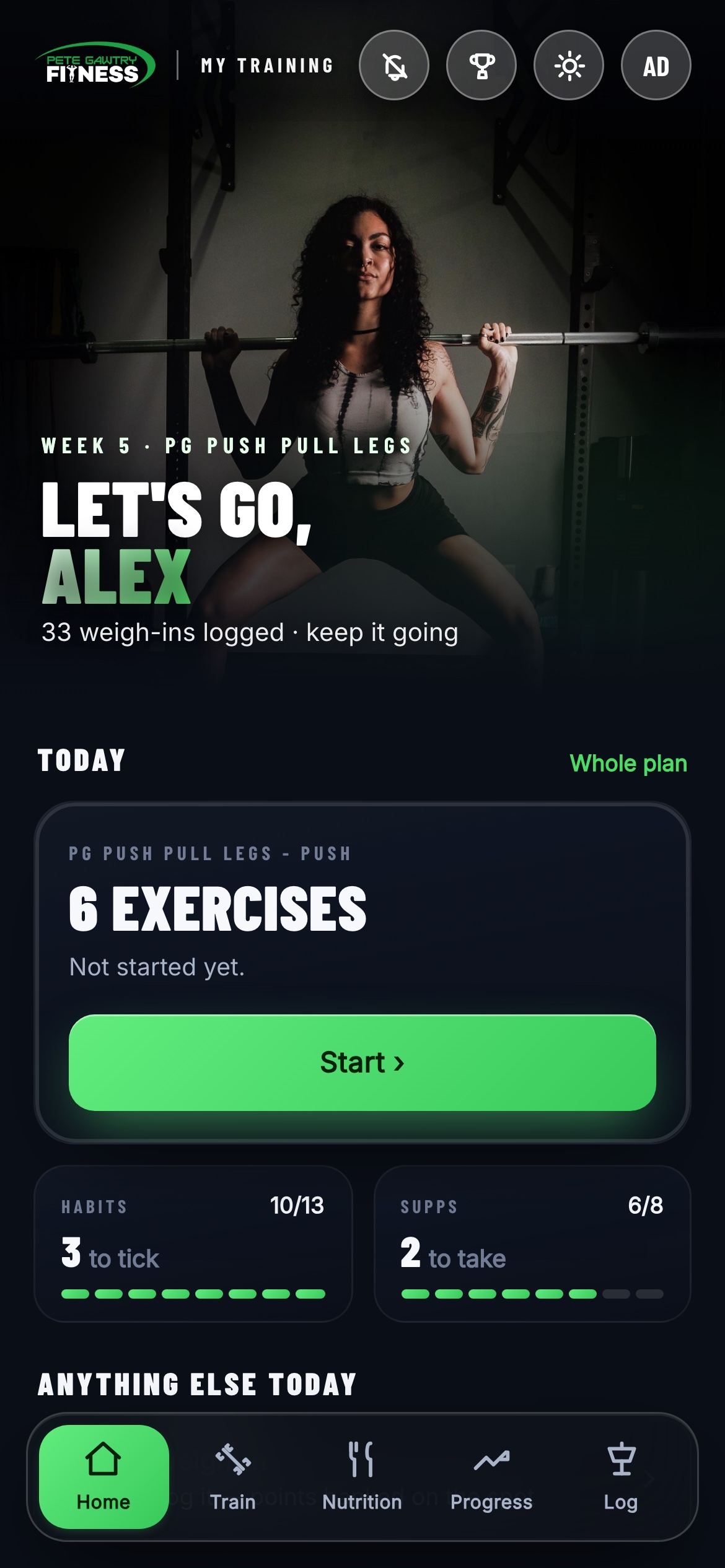
1Today's card — your workout, with your progress drawn round its edge. 2Habits & supps — the day's ticks, two taps from done. 3The five tabs. Everything lives off these.
Home — your day at a glance
Open the app and Home tells you exactly what today looks like. No digging. The Today card is the heart of it — your workout, with a progress ring drawn around the card itself. It closes as you log exercises, and turns gold when the day's done.
1The Today card. What's on, how far through it you are, and one tap to start — or carry on where you left off. On a rest day it says so, and tells you to enjoy it.
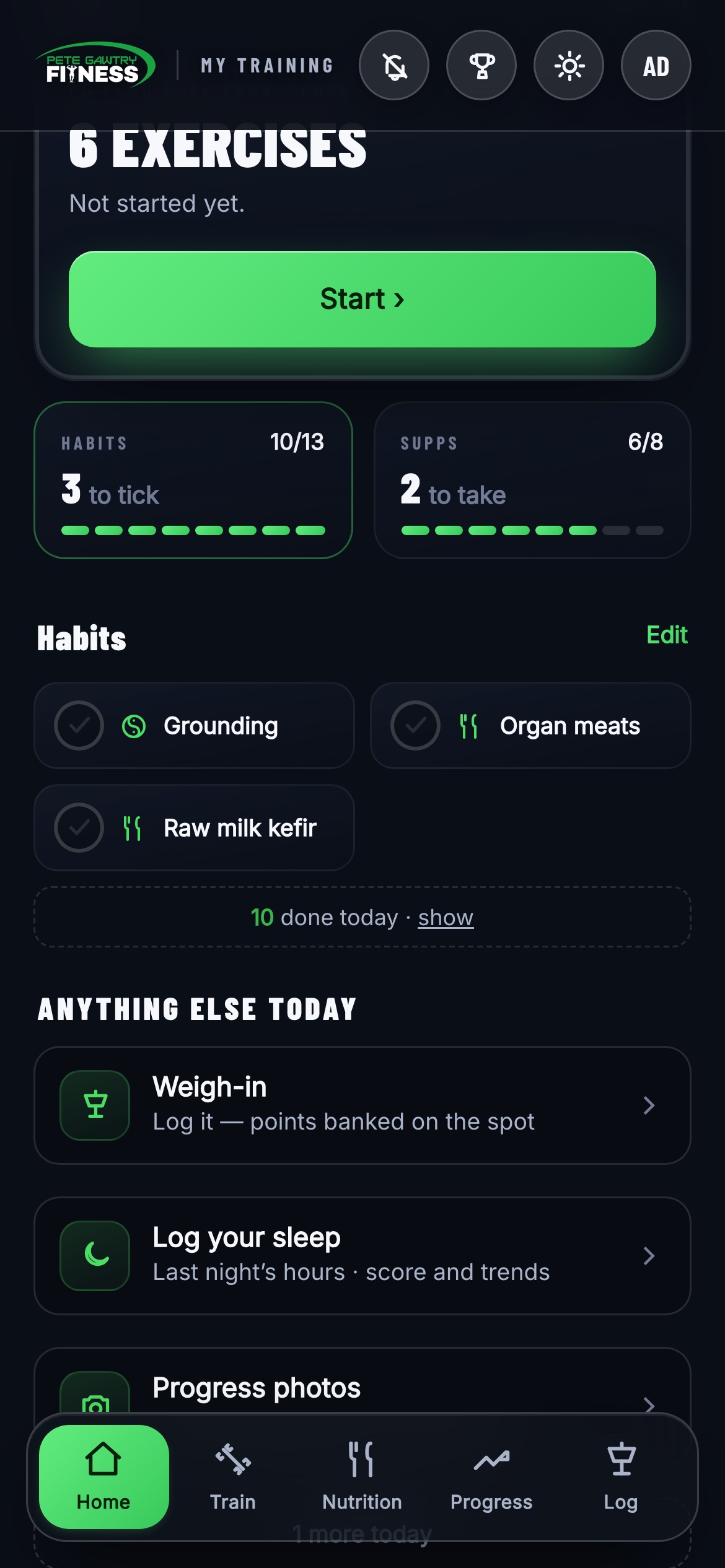
2Habits & supps. Two tiles under the Today card keep the score — tap one and the full list opens right there. Tick, watch it go green, done. Below them, Anything else today lines up whatever's left: weigh-in, photos, meals, steps.
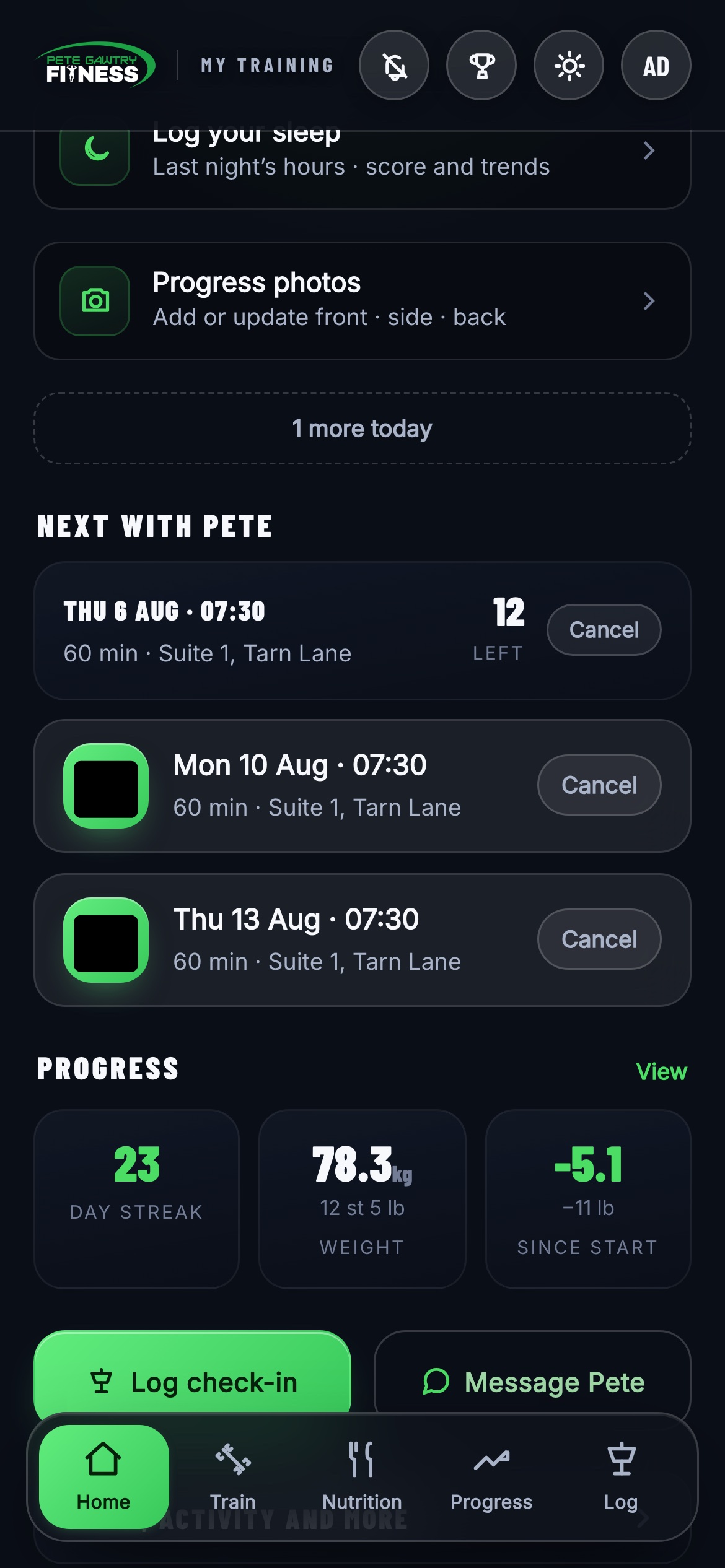
3Next with Pete. Your next session up top, the rest of the block below, and the sessions left counter so there's never any guesswork. Under that, your streak, weight and change since you started — tap any of them for the full Progress tab.
Train — your plan for the week
This is your programme — built by me, for you. Not a template off the shelf. Your week runs along the top, today is always highlighted, and a green dot means there's a session that day.
- The week, along the top. Tap any day and the session opens underneath — what it's called, what it hits, roughly how long, and a little picture of every exercise in it.
- TRAIN NOW. One tap starts today's session. The bar above it shows how this week is going.
- Life happens — the plan bends. Can't train on the day it's set? Tap Move to another day and slide it. A moved session beats a missed one.
- Your extra workouts. Want something on top of the plan? Tap + Add, build your own session from my full exercise library, and train it any day. It counts like everything else.

1Your week. Green dot = session that day. Tap a day to see it. 2TRAIN NOW — one tap and you're in.
Logging a workout
Tap a training day and you're in the session. The app drops you straight onto the exercise you're up to — no scrolling about between sets.
- The open exercise is the one marked NOW. Demo at the top, your sets below.
- Do the set, type the weight and reps, tap the tick. Done. It saves instantly.
- Next exercise opens as you finish. Work down the list until the session's done.

2Weight · reps · tick. The targets I've set are already there — you just fill in what you did.
Every exercise, shown properly
2,130 exercises, every single one with an animated demonstration — and almost all of them carry written coaching cues from me. You are never left guessing what a movement should look like.

1The exercise player. Tap How to on any exercise for the full-screen view — the animation shows the movement with the working muscle highlighted, and your sets, reps and rest sit right underneath.
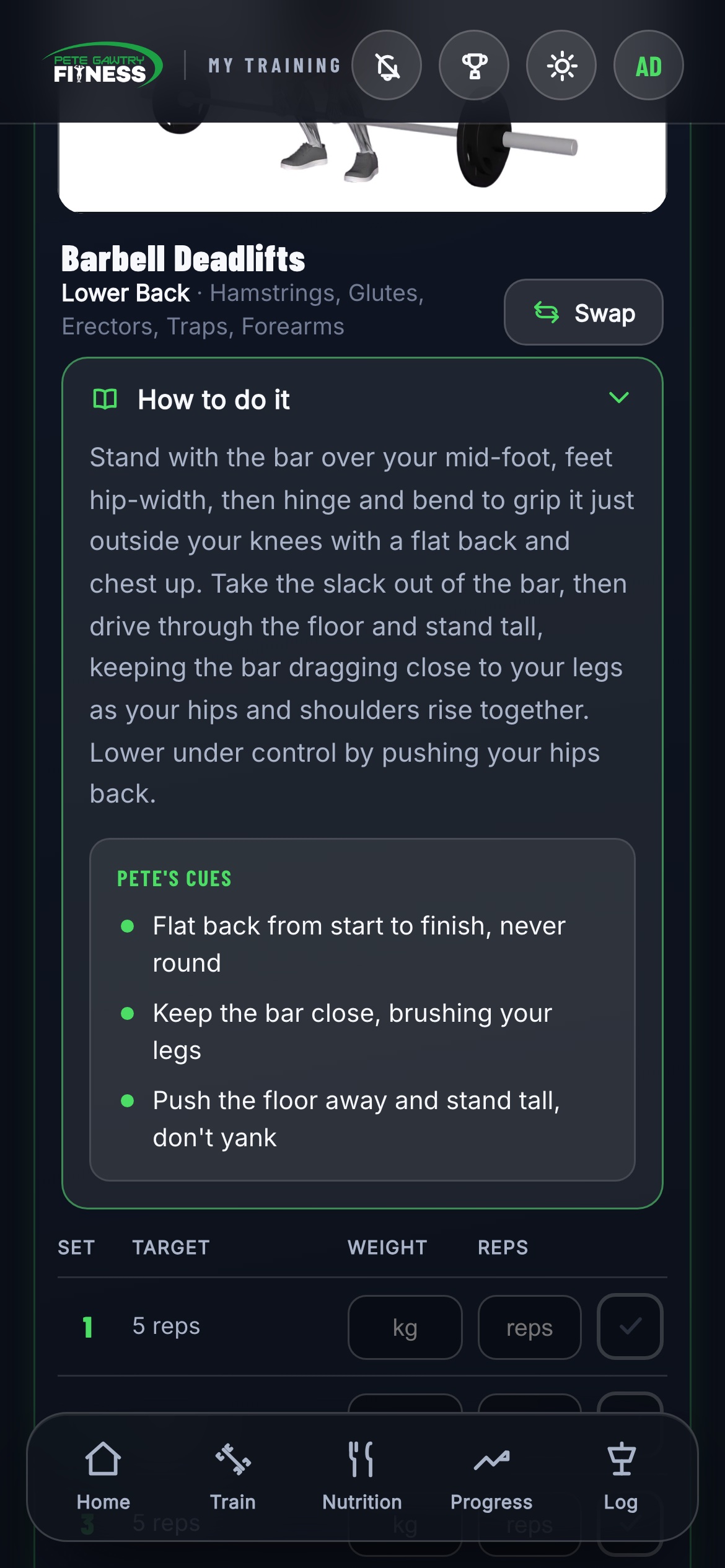
How to do it. Tap the green book and you get a plain-English guide plus my cues for that exact lift — the same things I'd say stood next to you.
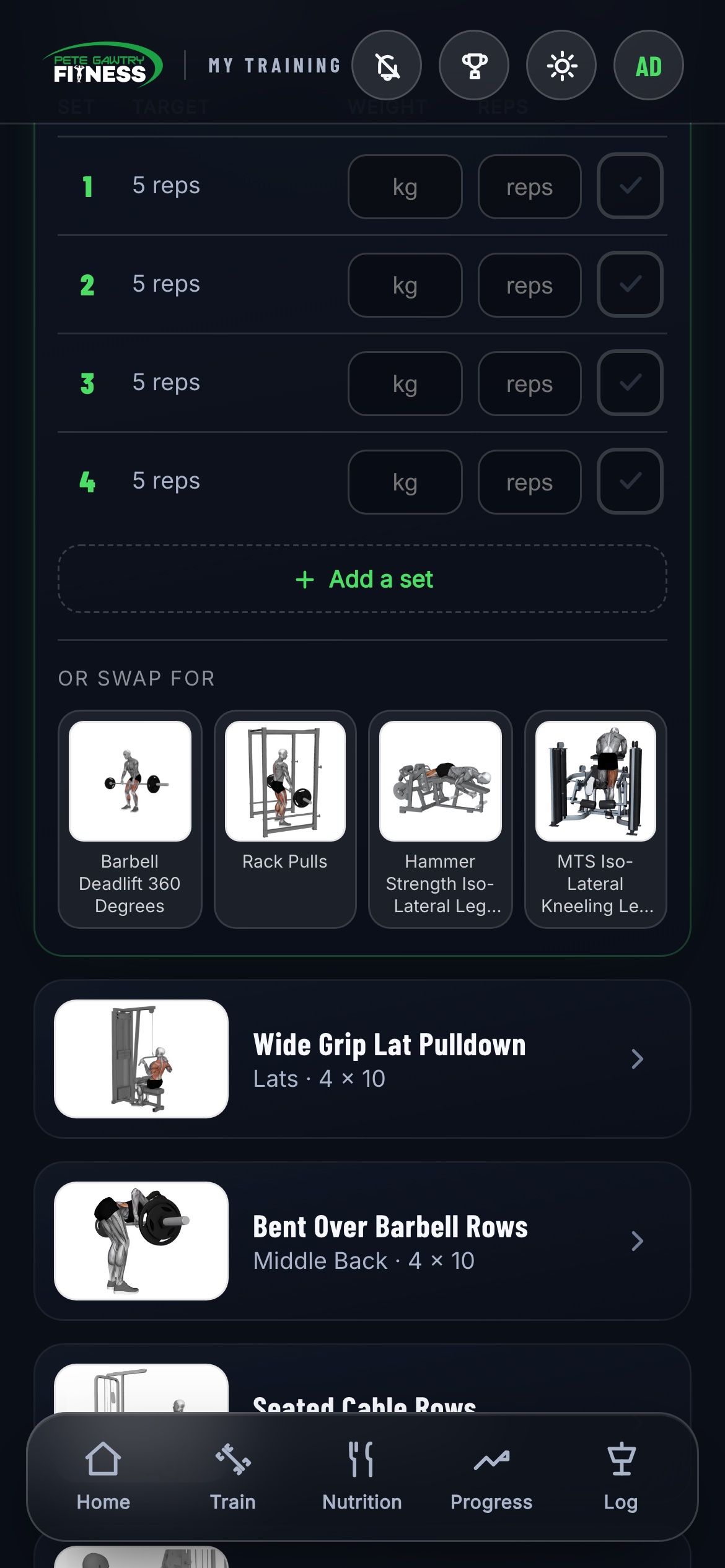
2Machine taken? Swap it. The alternatives sit right under the exercise — same muscle, no standing about. Tap one, carry on — its own demo and cues come with it.
Nutrition — food made simple
Your calorie and macro targets are set by me. Your job is just to log what you eat — and the app makes that genuinely quick.
- Scan barcode. Point your camera at the packet and it's logged — calories and macros filled in for you.
- Your usuals, remembered. Open Add food and the things you actually eat are already waiting at the top. Most days you'll barely type.
- Search or quick add for everything else — home cooking included.
- Your meal plan. If I've built you one, it lives here too — meals, portions and daily targets. Treat it as your template: swap like for like and keep the protein up.
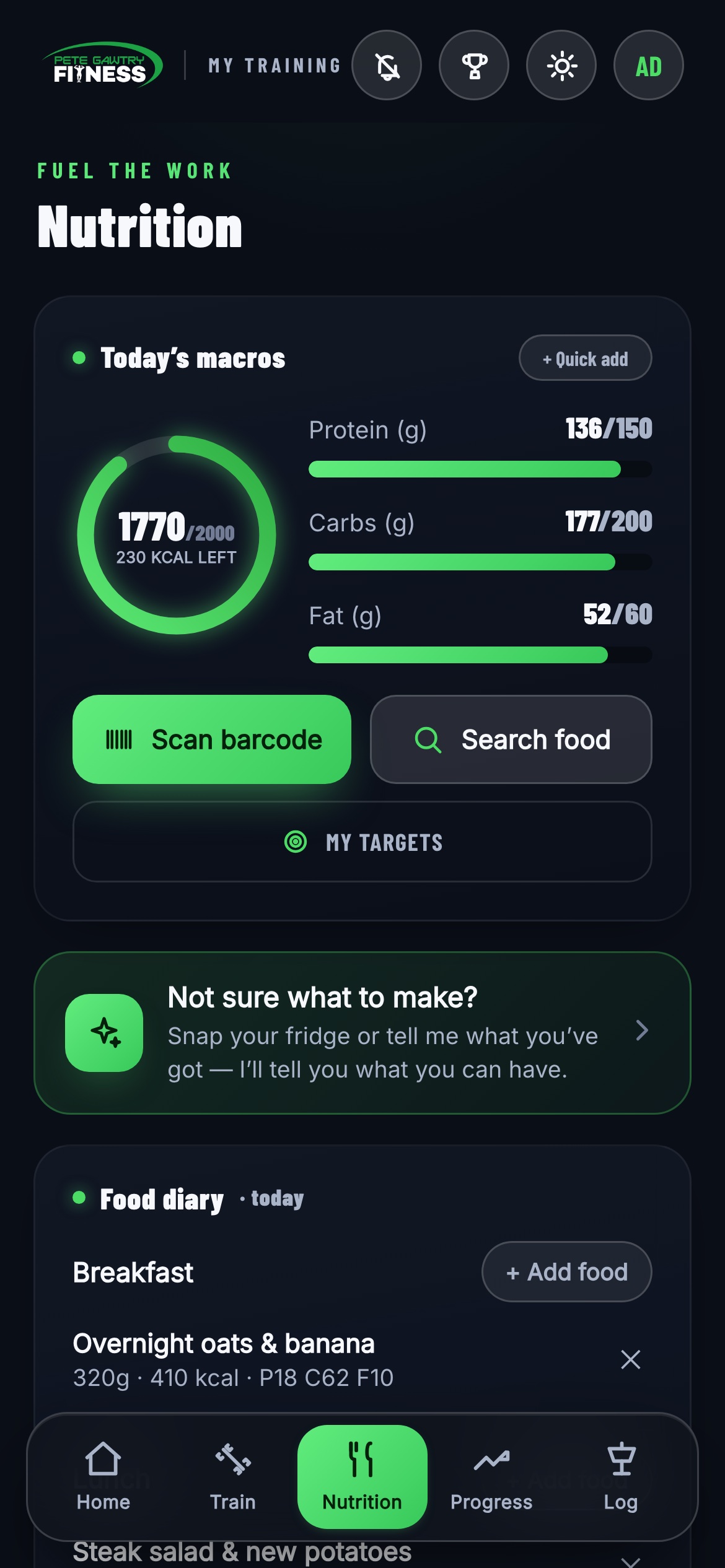
1The ring and bars fill as you log, so you always know where you stand against your targets — and the scanner is one tap away.

The food diary. Breakfast, lunch, dinner, snacks — each meal totted up as you go.
Weigh-ins & your weekly check-in
Two different things, both quick. The daily-ish weigh-in keeps your trend honest. The weekly check-in is how I coach you between sessions.
The quick weigh-in (Log tab)
Weight in kg — it shows you stones and pounds as you type. Add a note on how you're feeling if you like, tape measurements and photos if it's that kind of day. Thirty seconds, done.
The weekly PG check-in
Once a week a card appears on Home. A few quick questions — how training felt, how food went, anything on your mind. It comes straight to me: you'll see it flip from "Awaiting Pete" to "Reviewed" when I've read it and replied. I read every single one.

1Stones and pounds, automatically. Type kilos, see it in st & lb underneath. No maths at 7am.
Habits — the quiet work
The training is the easy bit to see. Habits are the part that actually moves the needle between sessions — and in the app they take about five seconds a day.
How they work
- I set them for you. They live in the Habits tile on Home, right under the Today card — things like 10,000 steps, two litres of water, protein at every meal. Whatever we've agreed matters most for you.
- Tap the tile and the list opens. Tap a habit to tick it off. That's the whole interaction — no forms, no notes.
- The tile keeps the score — 8 of 12, 3 to tick — so what's left today is always one glance away.
Why bother ticking?
Three reasons, in the order they'll matter to you:
- It keeps your streak alive. Ticking a habit counts as activity for the day — see Streaks & badges.
- It scores in the League. Habits earn points like everything else — see How the scoring works.
- I can see the pattern. When someone stalls, the answer is usually sat in the habits, not the training. If I can see three weeks of water going untouched, I know what to talk to you about.
Supplements
If we've talked about supplements, they'll be on your Home screen too — the Supps tile next to Habits, same one-tap tick, so you're not trying to remember whether you took your creatine this morning.
Ticking them off
- Tap the Supps tile on Home and the list opens.
- Tap to tick. Once a day, same as habits.
- The tile counts down what's left, so you can see at a glance you're done.
Add your own
You don't have to wait for me. If you're already taking something — vitamin D through the winter, magnesium at night, whatever it is — you can add it yourself and it'll start appearing in your daily list.
Sleep
Sleep is the one that undoes everything else when it goes. You can log it in the app in about ten seconds, and you don't need a smartwatch or a ring to do it.
Logging a night
- On Home, tap Sleep, activity and more — the sleep card is in there.
- Put in lights out and what time you got up.
- If you remember, add roughly how long it took you to drop off. If you don't, leave it — it still works.
- Save. You get a score for the night and it goes into your history.
Honest about what it can and can't do
The app scores your sleep from how long you were down and how settled the night was. That's genuinely useful, and for most people it's the number that matters.
What it does not do is tell you how much deep or REM sleep you got. Nothing can work that out from a phone sitting on your bedside table — that needs something physically on you, measuring your heart. Anything claiming otherwise from a phone alone is guessing, and I'd rather give you one honest number than four invented ones.
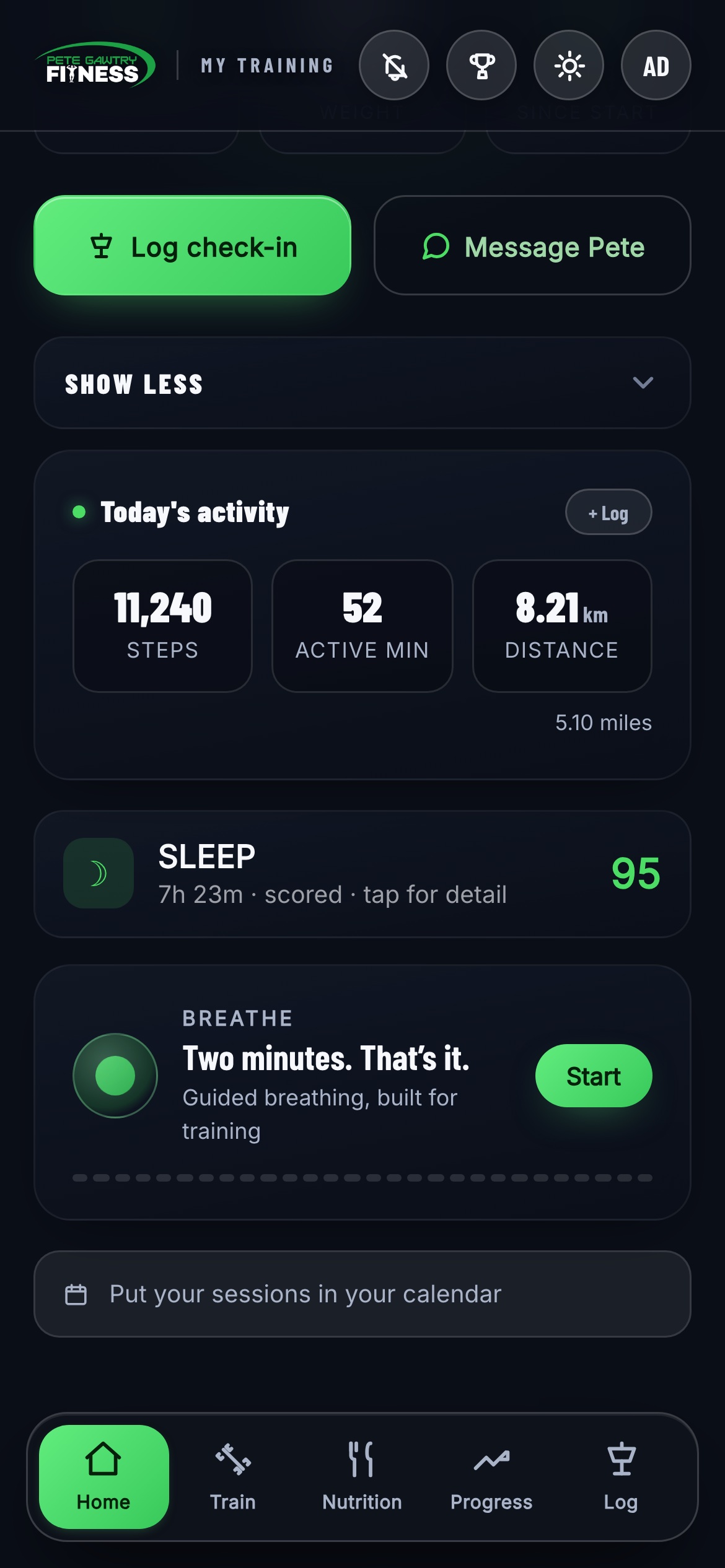
1The sleep card. Last night at a glance, and the whole log is two taps.
Apple Health — the bits that log themselves
If you're on an iPhone, you can connect Apple Health and stop logging two things by hand. It takes one tap and you never think about it again.
Connecting it
- Open the app on your iPhone — this only works in the App Store version, not the browser.
- Find Connect Apple Health and tap it.
- iPhone will ask what you're happy to share. Allow steps and weight.
- That's it. It keeps itself up to date from then on.
What actually comes across
- Your steps — whatever your iPhone or watch already counted, no separate app needed.
- Your weight — if you use smart scales that write to Health, your weigh-ins land on their own.
That's the current list, and I'd rather tell you straight than have you hunting for something that isn't there. Sleep, resting heart rate and workout calories are next — when they land I'll tell you.
Apple Watch
New in the latest version — the app is on your wrist. It's deliberately a glance, not a second app to manage.
Getting it on
- Install the iPhone app first from the App Store and sign in.
- The watch app usually installs itself. If it doesn't, open the Watch app on your iPhone, scroll to Available Apps and tap Install.
- You sign in once — on the phone. The watch just knows after that.
What's on it
- Today's session — what you're in for, without getting your phone out.
- Your streak — how many days you've kept it going.
- Your place in the PG League — a glance at where you're sat.
What it's not is a workout tracker. You won't log sets or start a heart-rate session from the watch — that's what your phone and the gym floor are for. This is the two-second look on the way in.
Progress — proof it's working
This tab is why the logging matters. Everything you record turns into evidence you can see.

Your weight trend. The line that matters — direction over weeks, not one odd morning. Daily steps and activity sit just below.

1Personal records. Your best set on every lift, scored as an estimated one-rep max. Beat it and the number moves. Chasing these is half the fun.

Photos. Front, side, back — then Before / After puts any two dates side by side. The scales lie some weeks; photos don't. On iPhone, Apple Health fills in your steps and weight automatically — see the Apple Health section. Got a Fitbit? Connect it once in Settings and your steps log themselves.
Streaks & badges
Consistency beats perfection — every time, in twenty-plus years of coaching I've never seen it fail. So the app rewards showing up, not being perfect.
How the streak works
Do anything in the app today — tick a habit, log a set, add your steps, take a supplement — and the day counts. The flame only resets if a whole day goes by with nothing. It's deliberately generous: rest days count when you tick your habits. Your current streak sits right on Home, and the flame on the Progress tab keeps your longest alongside it.
The Trophy Room
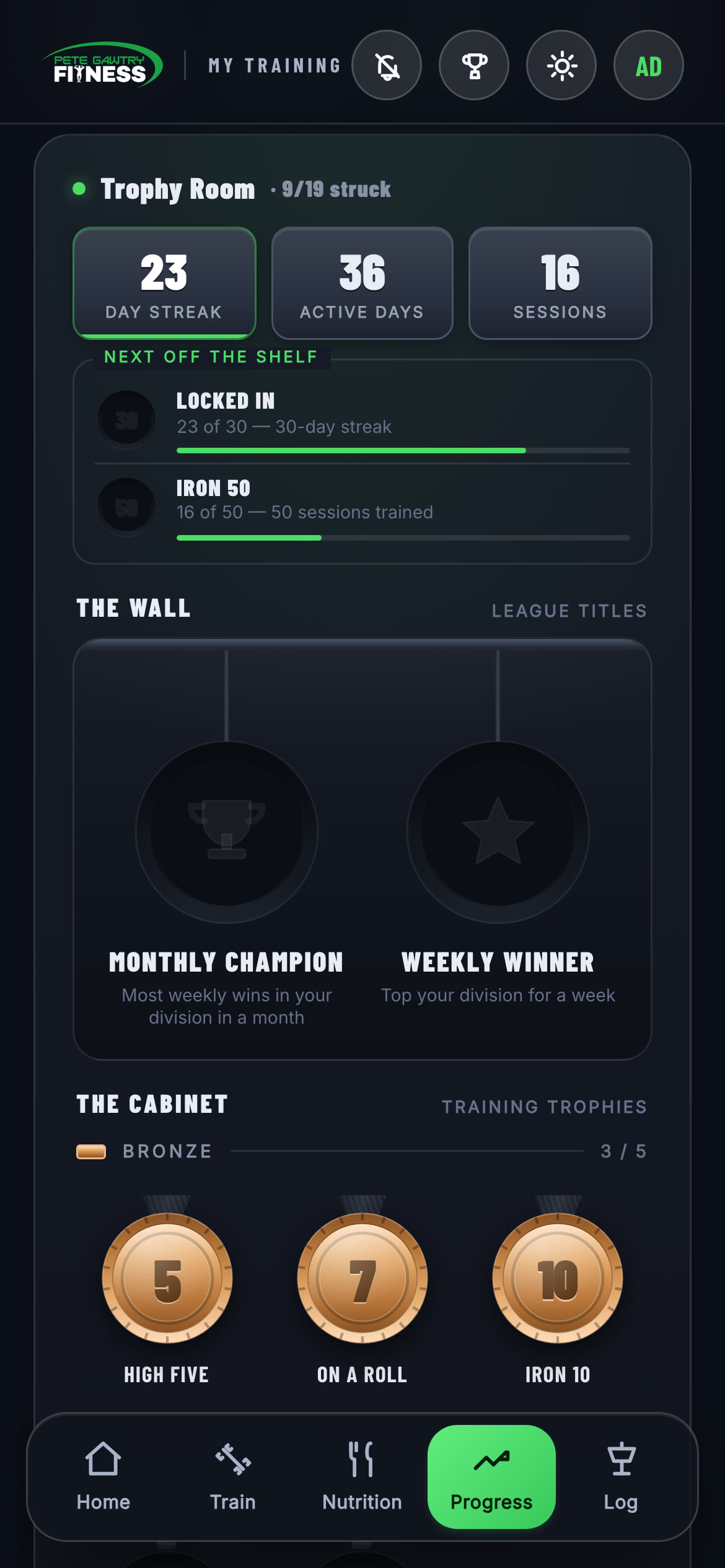
Milestones strike real metal as you go — your first logged day, a 7-day streak, a 30-day streak, your first personal record, and plenty more. They hang in your Trophy Room on the Progress tab: gold, silver, bronze and gunmetal shelves, the two League titles on the wall above the cabinet, and a "next off the shelf" strip that shows exactly how close your next one is. The app makes a moment of it when a new one lands.
The PG League
Every week, the things you log turn into points — and every Monday morning the board resets and the whole club starts level. Honest answer? It's there for a bit of friendly needle. Knowing six other people got their sessions done this week has a funny way of getting yours done too.
- Find it anywhere. The trophy button top-right opens the League from any screen — or tap the League row on Home.
- Three divisions. Rookies (your first ninety days), Regulars (the pack) and Legends (100+ lifetime sessions). Promotion is automatic — hit your hundredth session and you're a Legend for life.
- Metal where it's earned. Top three on each board carry gold, silver and bronze; everyone else sits on gunmetal. The chips under each name show the week's actual work — sessions, weigh-ins, photos, habits — and the number on the right is the gap to the leader, so you always know what it'd take.
- Beat Pete. My own training week is on the board, logged from my real sessions — no special treatment. Outscore me Monday to Sunday and the Beat Pete badge is yours.
- The week runs Monday to Sunday and the board updates through the day — a Sunday-night weigh-in still counts.
- Initials only, off any time. Nobody's name appears, and if you'd rather not be on the board at all, tell me and you're off. No fuss.
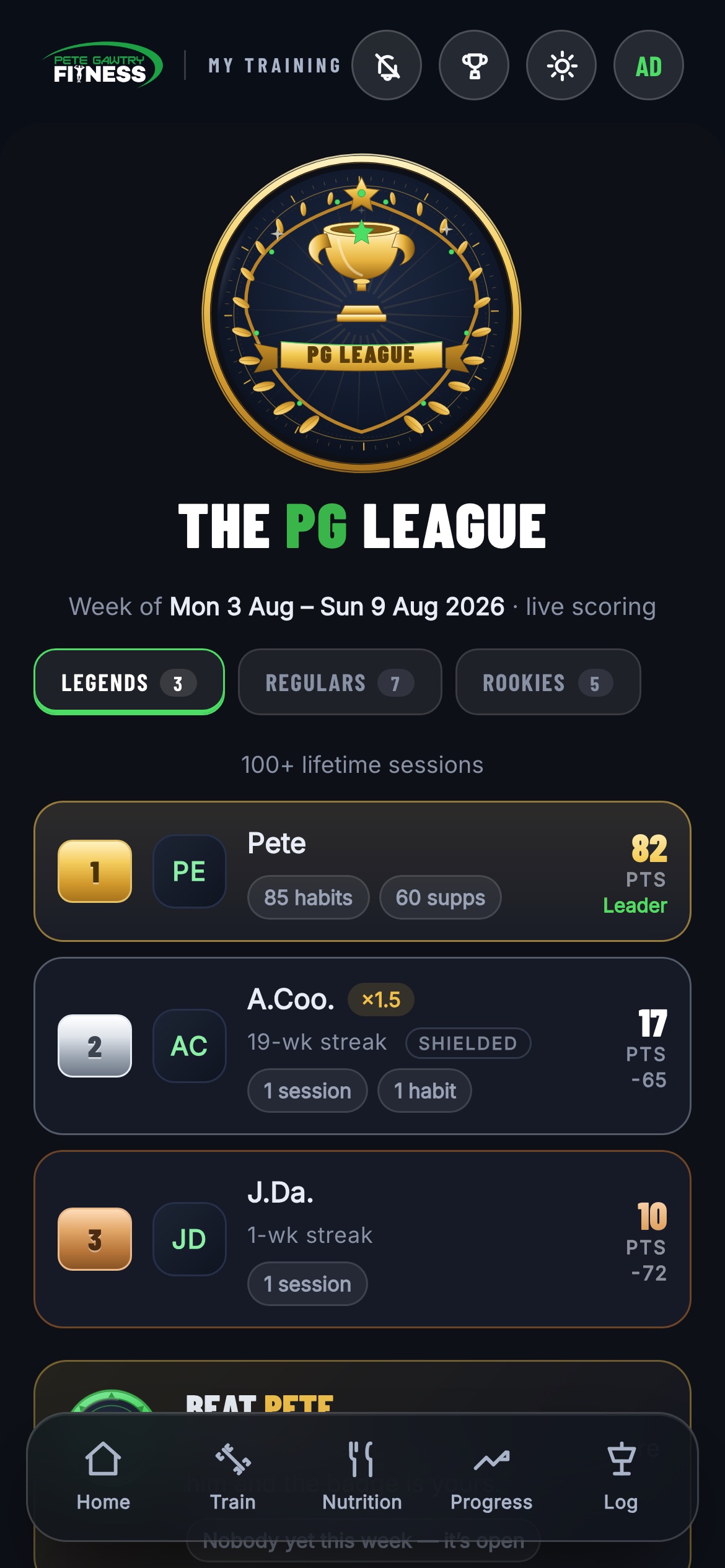
1The board. Gold, silver and bronze where they've been earned, your division a tab away — and yes, I'm on it too. Catch me if you can. The monthly boards — weight loss, sessions, cardio, strength, consistency — sit below, so whatever your goal is, there's a table you can climb.
The trophy wall
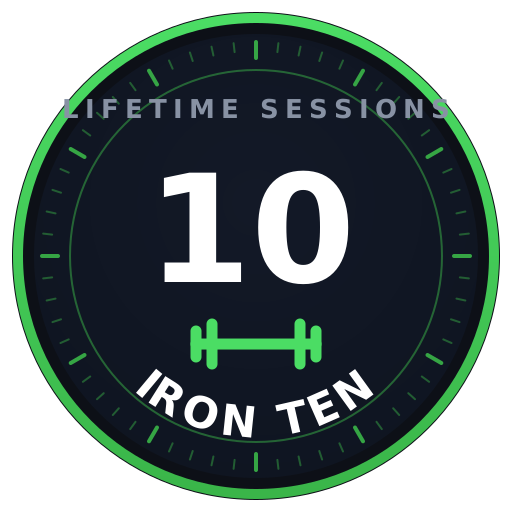
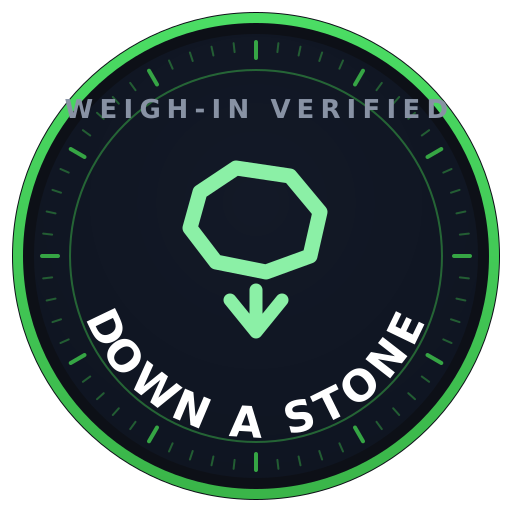
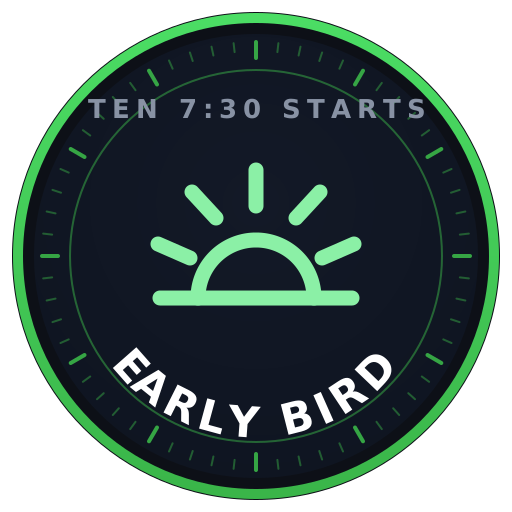
Seventeen trophies, earned from your real training history — and your history counts from day one, so the work you've already put in unlocks trophies the moment you open the League.
How the scoring works
No points for talking about it. The League scores the things that genuinely change your body — turning up, weighing in, proving it, and the daily habits that do the quiet work. Here's the full price list, so you know exactly what every tick is worth.
The big three
- Session with me — +10 points. Every session counts. Train twice in a day and that's +20.
- Weigh-in — +5 points. Once a day counts, however many times you step on.
- Progress photo — +5 points. Once a day counts.
Habits — tick them every day (+1 to +5 each)
Every habit on your list scores when you tick it — and the harder it is to fake, the more it pays:
- Raw milk kefir +5 · Raw milk +4 · Organ meats +4
- 8 hours' sleep +3 · Organic food +3 · No seed oils +3 · Nothing processed +3 · No alcohol +3 · Greens drink +3
- Grounding +2 · Meditate +2 · anything else on your list +1
Tick them on rest days too — that's where the quiet points live. Seven days of a full habit list outscores a missed session.
Supplements — tick your stack (+1 to +3 each)
- Creatine +2 · Magnesium +2 — steady daily points
- Vitamin D +2 · Methylene blue +2
- Everything else — whey, omega-3, multivitamin — +1
The streak multiplier — where it gets serious
Train with me at least once a week and your streak grows — and your whole week's points get multiplied: ×1.1 in week two, ×1.2 in week three, all the way to ×1.5 from week six. Consistency literally multiplies everything else you do.
And the Streak Shield has your back. Life happens — once a month, a fully-missed week is bridged automatically and your streak survives. One bad week never wipes out ten good ones.
PG Coins & your level
League points reset every Monday. PG Coins never do. They're your career total — every session, every weigh-in day, every photo day you've ever logged, banked for good. Your coins set your level.
How you earn them
- +10 coins — every session you've ever trained with me
- +5 coins — every day you've weighed in
- +5 coins — every day you've taken progress photos
Your history counts from day one — long-standing clients start with a full bank, not an empty one.
The levels
- Rookie — everyone starts here
- Regular — 250 coins. A few months of showing up properly.
- Legend — 1,000 coins. The hundred-session club.
- Master — 2,000 coins. Nobody's there yet. Somebody will be first.
Your page on the website
You've also got your own page on the main website — pg-fitness.co.uk/my. Same email and password as the app. It's your whole training career on one page, built to be looked at.
- Your coins and your level — with the progress bar to the next one.
- Your trophy cabinet — everything you've earned, and the locked ones still to chase.
- Your weight journey — the full chart, with every stone lost marked on it.
- Your week at a glance — habits, supplements, sessions and credits.
- Need an exercise changed? There's a form right on the page — tell me what's not working and I'll swap it in your plan.
Your sessions with me
Your 1-to-1 sessions live on your Home screen, under Next with Pete — with a running count of what's left in your block, so there's never any guesswork.
- I book your sessions with you — as we always have. Once booked, the next one sits at the top of Next with Pete, with the rest of the week below it.
- The "left" counter is your block. Each session you train uses one. The app keeps the ledger — you'll always see exactly where you stand.
- Can't make one? Cancel it from the app — tap Cancel on the session and confirm. We both get an email straight away, so nothing gets missed.
- Booking confirmations land by email too, from molly@pg-fitness.co.uk. First one can land in junk — fish it out and mark it safe.
- Put them in your phone's calendar: tap Sleep, activity and more on Home, then Put your sessions in your calendar — they'll appear in Apple or Google Calendar and keep themselves up to date.
1Your block, counted. "12 left" means 12 booked-and-paid sessions still to use.
Messaging me
Tap Message Pete on Home and say what's on your mind — a question about a lift, a wobbly week, a win you want to share. It's a private thread between you and me, nothing else in the way.

Straight to me. Not a call centre, not a bot. Me.
When to use it
- Form check questions — "is this meant to hurt here?" (usually no — ask)
- Food decisions — eating out, holidays, what to pick
- Rearranging your week when life gets in the way
- Anything at all, honestly. I'd rather you asked.
Settings, passwords & light mode
Tap your initials (top-right, any screen) and you're in Settings.
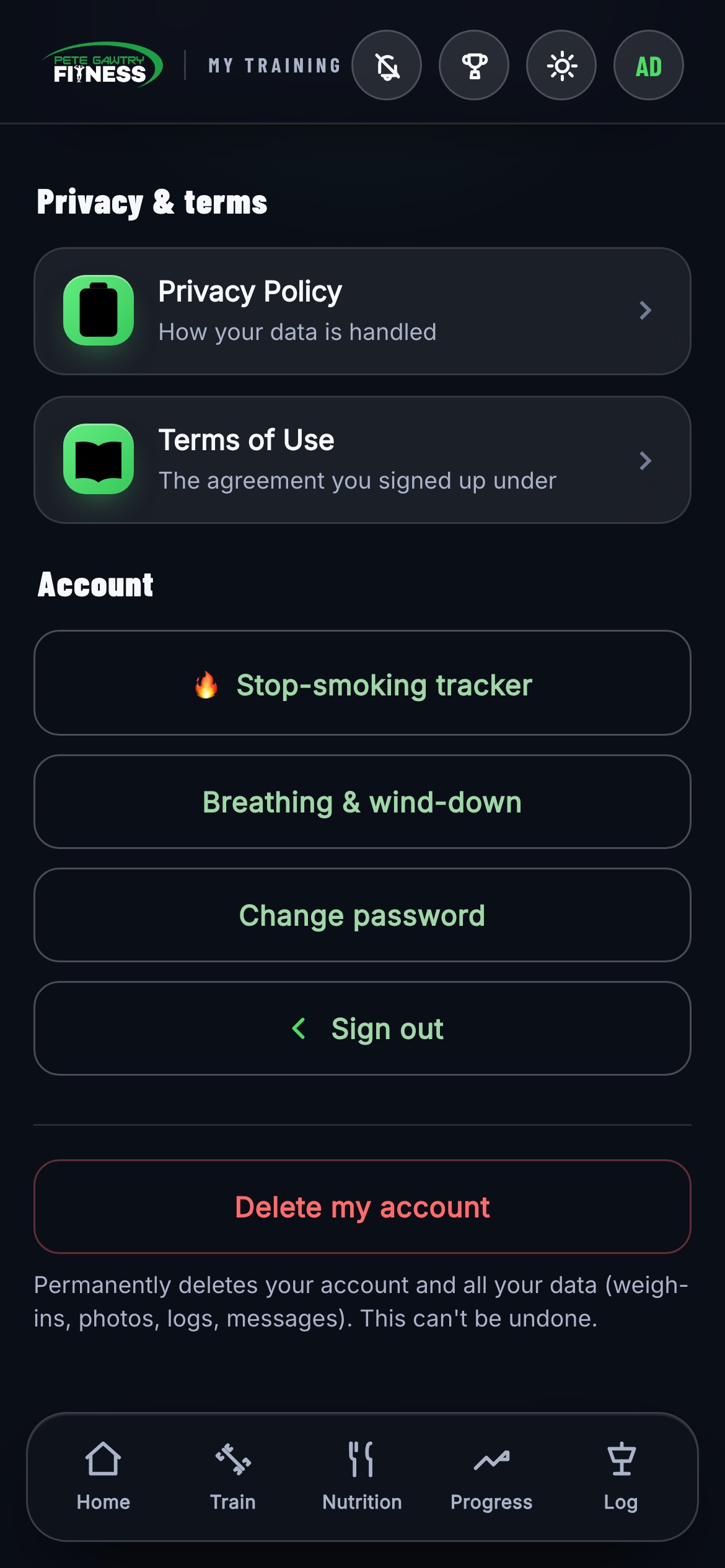
1Change password — do this after your first sign-in if you want one you'll remember. Connected apps (Fitbit and friends) live here too, along with the privacy policy and terms — and your data is yours: there's a delete-my-account option if you ever want everything gone.

2Prefer it bright? Tap the sun/moon and the whole app flips between dark and light. It remembers your choice on that phone.