
MasterMyFitnessPal.
Most people download MyFitnessPal, log lunch twice, and abandon it inside a week. This 44-page step-by-step guide is the difference between giving up and using it like a pro. Set it up, log faster, hit your macros — everything Pete teaches his coaching clients, in one PDF.
Download Free Guide See What's Inside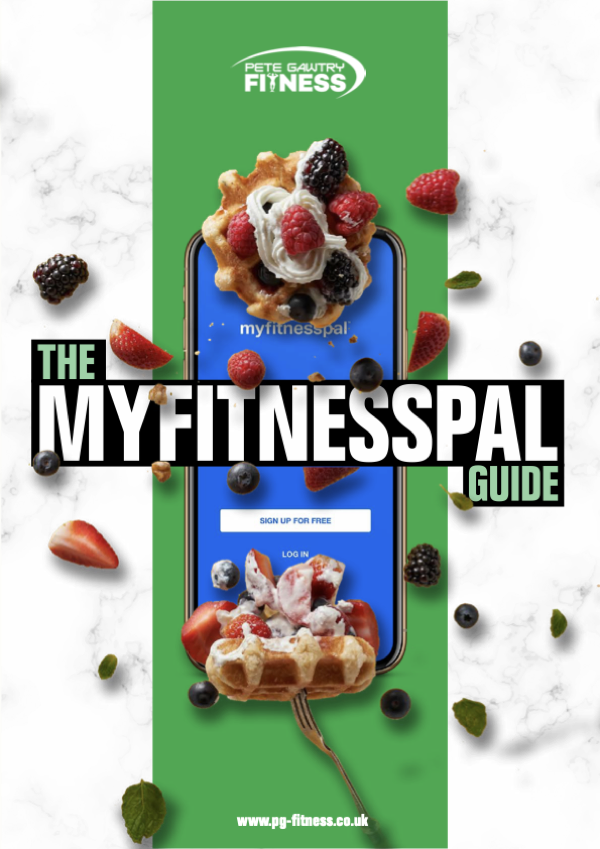
The tracking app, finally explained.
Tracking nutrition isn't about being obsessive — it's about knowing what you're actually putting in. MyFitnessPal is still the best free way to do it, but the app is bigger than it looks and most people use 10% of what it can do. This guide unlocks the other 90%.
Twenty-plus screen-by-screen walkthroughs with figure references for every step. From the moment you open the app to the moment you've got your daily logging down to ten seconds, this is the manual MyFitnessPal should have shipped with.
- Set it up properly in 5 minutes — calorie goal, macros, dashboard, meal structure.
- The barcode scanner tricks that make logging a 2-second job.
- Smart Copy, Quick Add, Recent Meals — the speed tools that turn 5-minute logging into 30 seconds.
- How to copy whole days when life gets busy (and you eat the same lunch every Tuesday anyway).
- Setting different macros for different days (training days vs rest days).
- Linking Apple Health, Garmin, Fitbit so exercise calories adjust themselves.
- The cooked vs raw weighing trick that fixes the most common logging mistake.
- How to export your data — for your coach, for your records, for your sanity.
What's inside
Nine thematic sections walking the 20+ in-app tutorials. Read it cover-to-cover in 30 minutes, or jump to the tutorial you need.
Whether you go Free or Premium, the guide walks the trade-off honestly. Premium unlocks Food Analysis, custom dashboards, custom daily goals, ad-free experience and Meal Scan (snap a meal with your camera). The chapter shows exactly what Premium adds — try the free month, decide for yourself.
Customise Your Home Dashboard
The default dashboard just shows remaining calories — useful if you're a beginner, but limiting once you progress. Premium users can switch to:
- Calorie Focused — total consumed, burned, remaining.
- Macronutrients Focused — remaining carbs, protein, fat + calories.
- Heart Healthy — fat, sodium, cholesterol + calories.
- Low Carb — carbs, sugar, fibre + calories.
- Custom — any three nutrients you choose.
The Macronutrients view is what 90% of Pete's clients end up using — the chapter explains why.
Set Your Nutrition Goals — Web AND App
Goals can be set on either the website (more flexible) or in the app (faster). The guide walks BOTH paths step-by-step, with figure references for each screen. You learn how to set:
- Calories per day.
- Carbs / Protein / Fat — by gram or by percentage (huge — most people don't realise both options exist).
- Different calorie + macro goals for different days of the week (training vs rest day macros).
Set Up Your Daily Meal Structure
Three meals + snacks? Four meals + pre-workout? Six small meals? The app lets you customise the meal slots to match how you actually eat. This 10-second setup makes every subsequent log feel native instead of forced into someone else's eating schedule.
Logging Foods — Every Way
Six logging methods, each with its own walkthrough:
- Search the food database — 11+ million items. The chapter teaches you how to spot the verified entries vs the user-submitted junk.
- Scan a barcode — UK supermarket own-brands, big chains, everything.
- Add a custom food — for recipes, family meals, anything not in the database.
- Manual delete — fixing the inevitable wrong entry.
- Cooked vs raw weights — the single biggest logging mistake the guide fixes.
- Check your macros mid-meal — adjust before you over-eat, not after.
200g of raw chicken weighs ~150g cooked. Log it raw if you weighed it raw, log it cooked if you weighed it cooked — never mix. The chapter explains the rule with examples so you never under-eat or over-eat by 30% again.
Speed Tools — Log Faster
This is the chapter that converts MyFitnessPal from "tedious chore" to "10-second daily habit":
- Smart Copy — copy a meal from earlier today or yesterday in two taps.
- Quick Add — log calories & macros directly when you don't know the exact food (eating at a friend's house, etc.).
- Recent Meals — your most-eaten meals always one tap away.
- Save a meal you eat often — turn your usual breakfast into a one-tap log forever.
- Copy whole days — for the meal-prep crowd who eat the same five days a week.
MASTER THE SPEED TOOLS AND IT NEVER IS."
Macros & Custom Targets
How to set different daily calorie + macro targets — including the trick of higher carbs on training days and higher fat on rest days. Plus the chapter on customising exercise changes so the app doesn't blow your calorie budget when you log a 200-calorie walk and it adds 600 to your daily allowance.
Activity Trackers & Wearable Integration
How to link Apple Health, Google Fit, Garmin, Fitbit and the major activity trackers so steps and workouts flow into MyFitnessPal automatically — and how to control whether those calories get added to your daily budget or not (you usually don't want them to).
The final section: completing your diary, the privacy settings most people get wrong, sharing diaries with your coach, the Week at a Glance summary, the Recipe Discovery tool, and exporting your data — which Pete asks every coaching client to do at the end of each week.
Get The MyFitnessPal Guide
Grab the full 44-page PDF — or join the newsletter for more free fundamentals like this dropped into your inbox occasionally.
Want more than the book?
Separate to the book above — join the newsletter for training and nutrition tips from Pete. Unsubscribe any time.
By signing up you agree to our privacy policy. You'll get a confirmation email to opt in. No spam, unsubscribe any time.
Tracking sorted. Want a plan to track against?
Once you can log accurately, the next question is: am I logging against the right targets? A bespoke meal plan answers that — built around your body, your goals and your week, with macros that actually fit your life.
Pete Gawtry
12× UK award-winning personal trainer. Studio in Leeds (LS17). Online clients across the UK and beyond. Author of eight other free fitness and nutrition guides.
Common questions
Is the MyFitnessPal Guide really free?
Do I need MyFitnessPal Premium to use the guide?
Why MyFitnessPal and not another tracker?
How long until I can actually use the app properly?
How does this fit with the other free books?
© Pete Gawtry Fitness. The MyFitnessPal Guide PDF is free to download and share with friends. MyFitnessPal is a registered trademark of Under Armour, Inc. — this guide is an unofficial tutorial, not endorsed by or affiliated with MyFitnessPal.
Free Tips & Offers
Join The Newsletter
Training, nutrition and fat-loss tips from Pete, plus early access to offers. No spam, and you can unsubscribe any time.
By signing up you agree to our privacy policy. You'll get a confirmation email to opt in.